 AuctionGate.io






Возьмите
полный контроль
над аккаунтами аукционов
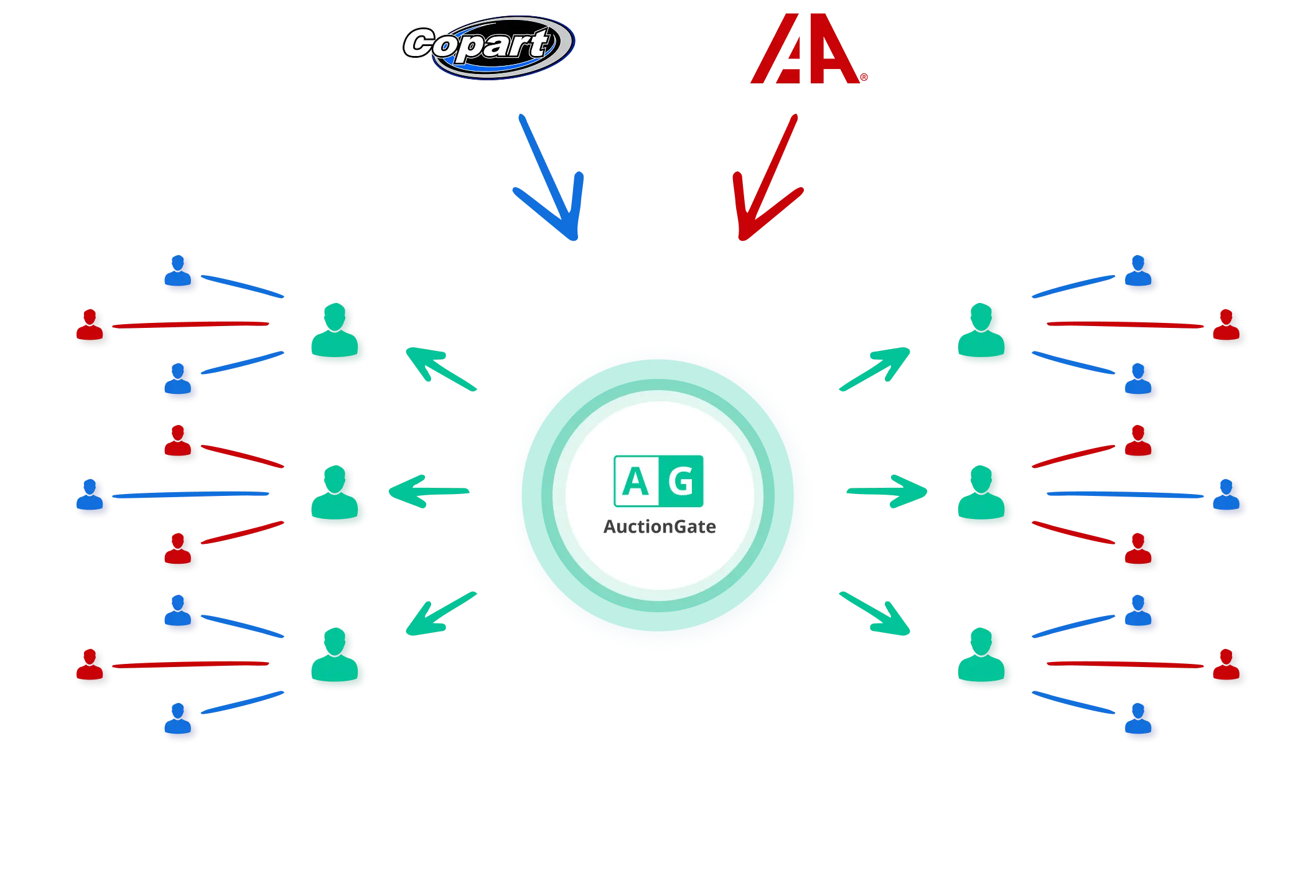
Всё, что нужно для управления аукционными операциями
- Активация и деактивация аккаунтов.
- Назначение офисов и менеджеров.
- Установка лимитов ставок (максимальная ставка, общее количество ставок, общая сумма).
- Разрешение или ограничение Pre-Bid и Live-Bid.
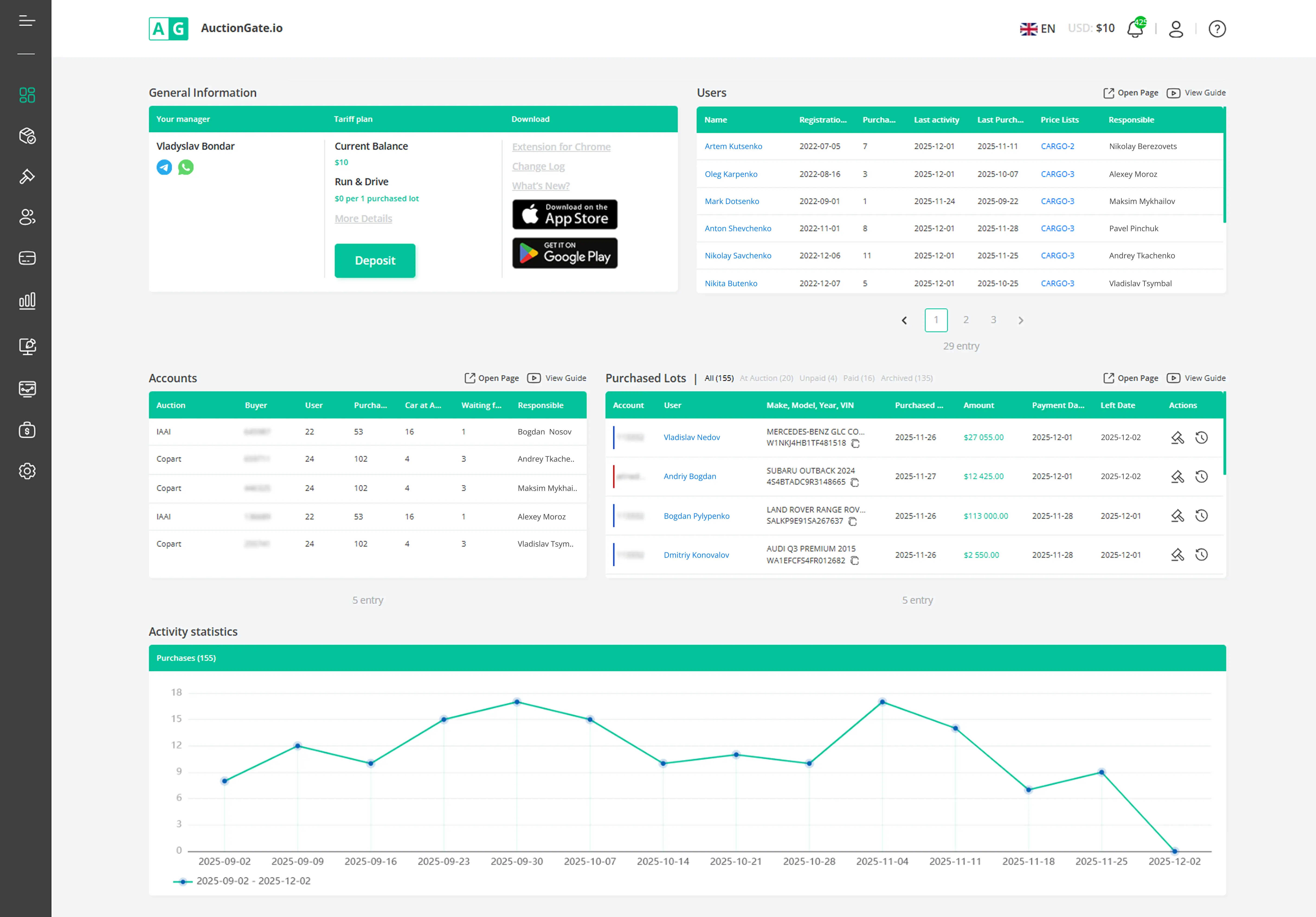
- Добавление и редактирование пользователей.
- Установка персональных лимитов ставок.
- Управление видимостью страниц (Купленные лоты, Активные ставки).
- Включение и отключение аккаунтов.
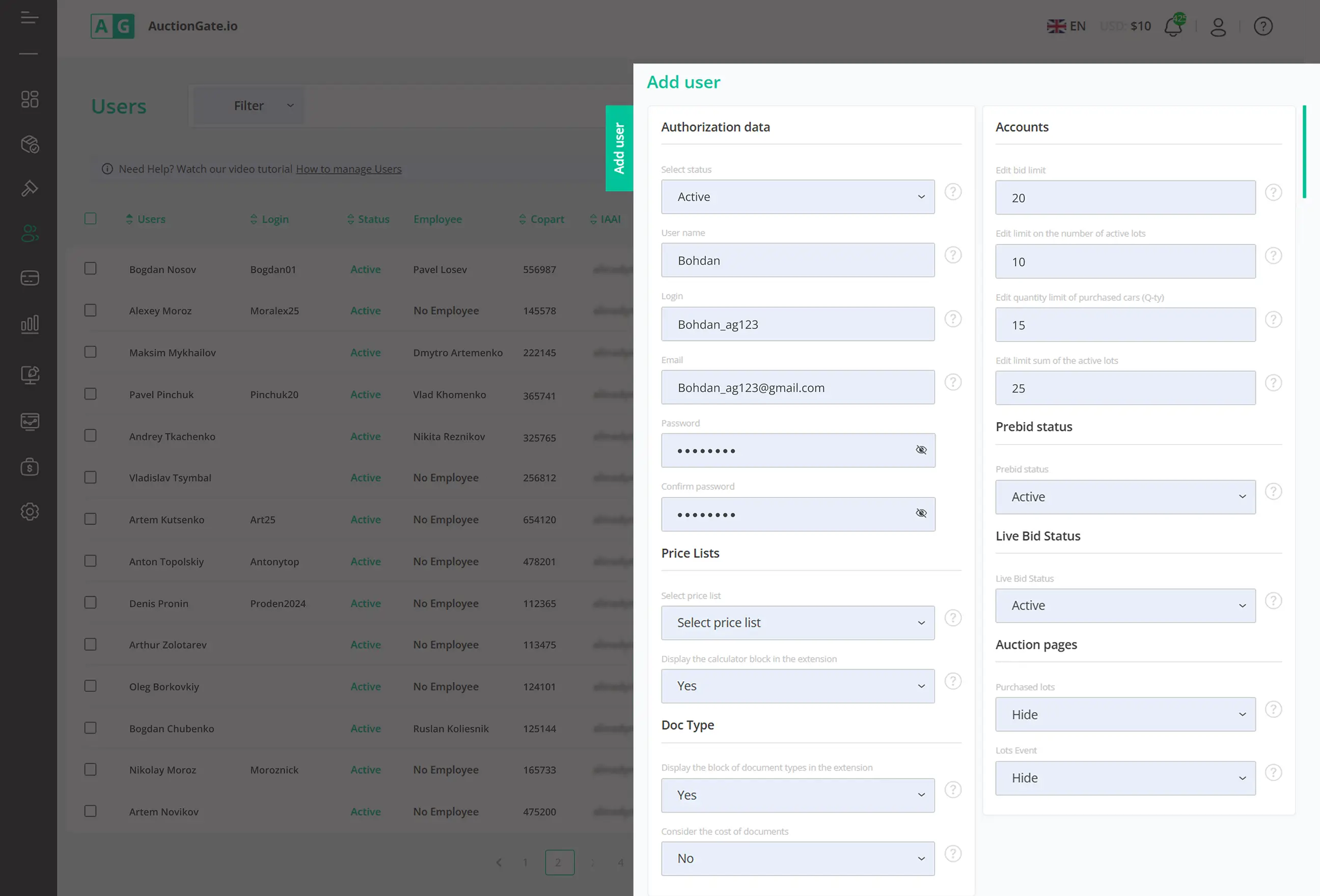
- Просмотр активности пользователей (ставки, VIN, IP, даты).
- Сортировка и фильтрация по аукциону или номеру покупателя (Buyer Number).
- Анализ эффективности команды и выявление ошибок.
- Экспорт аналитики для отчетности.
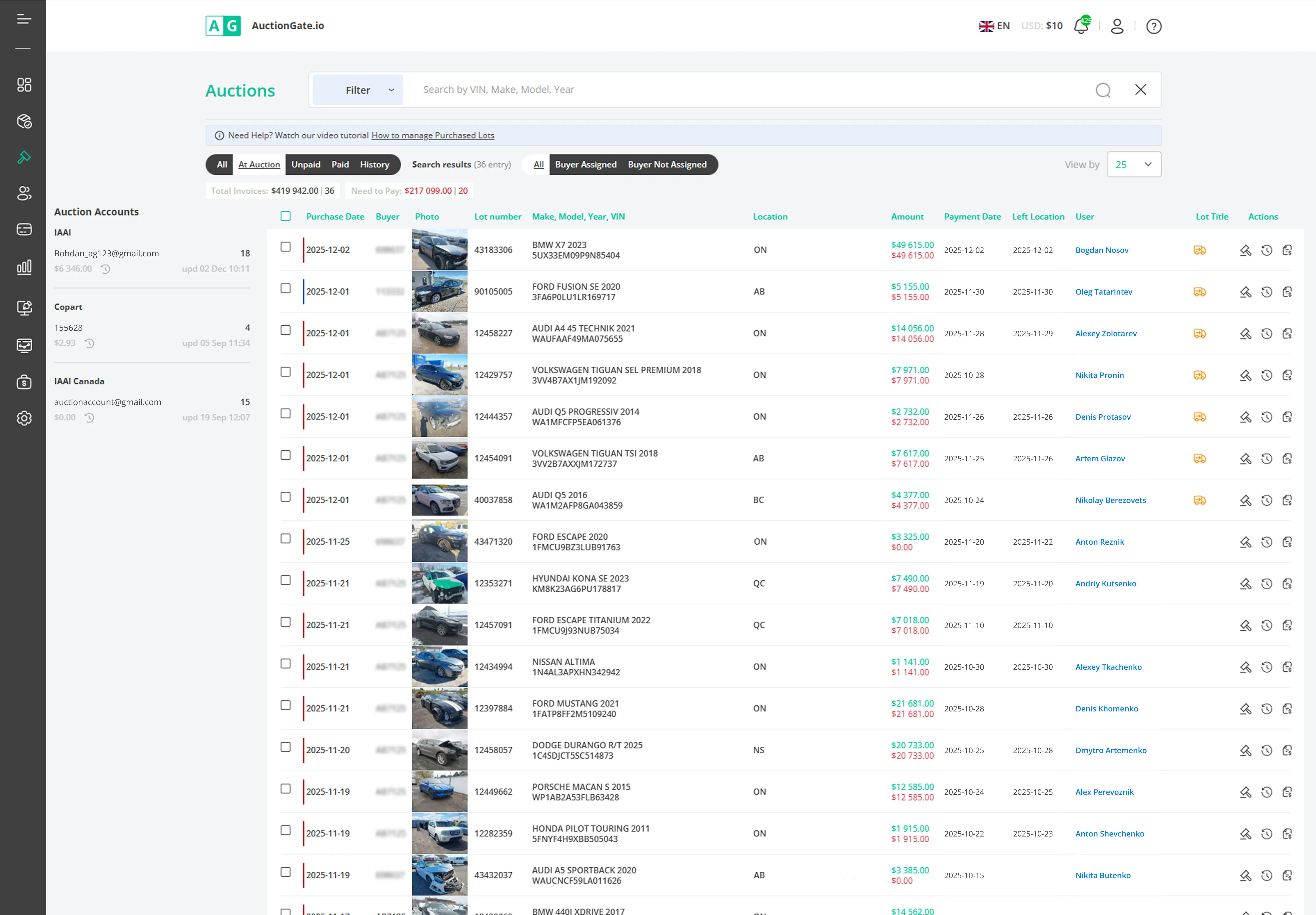
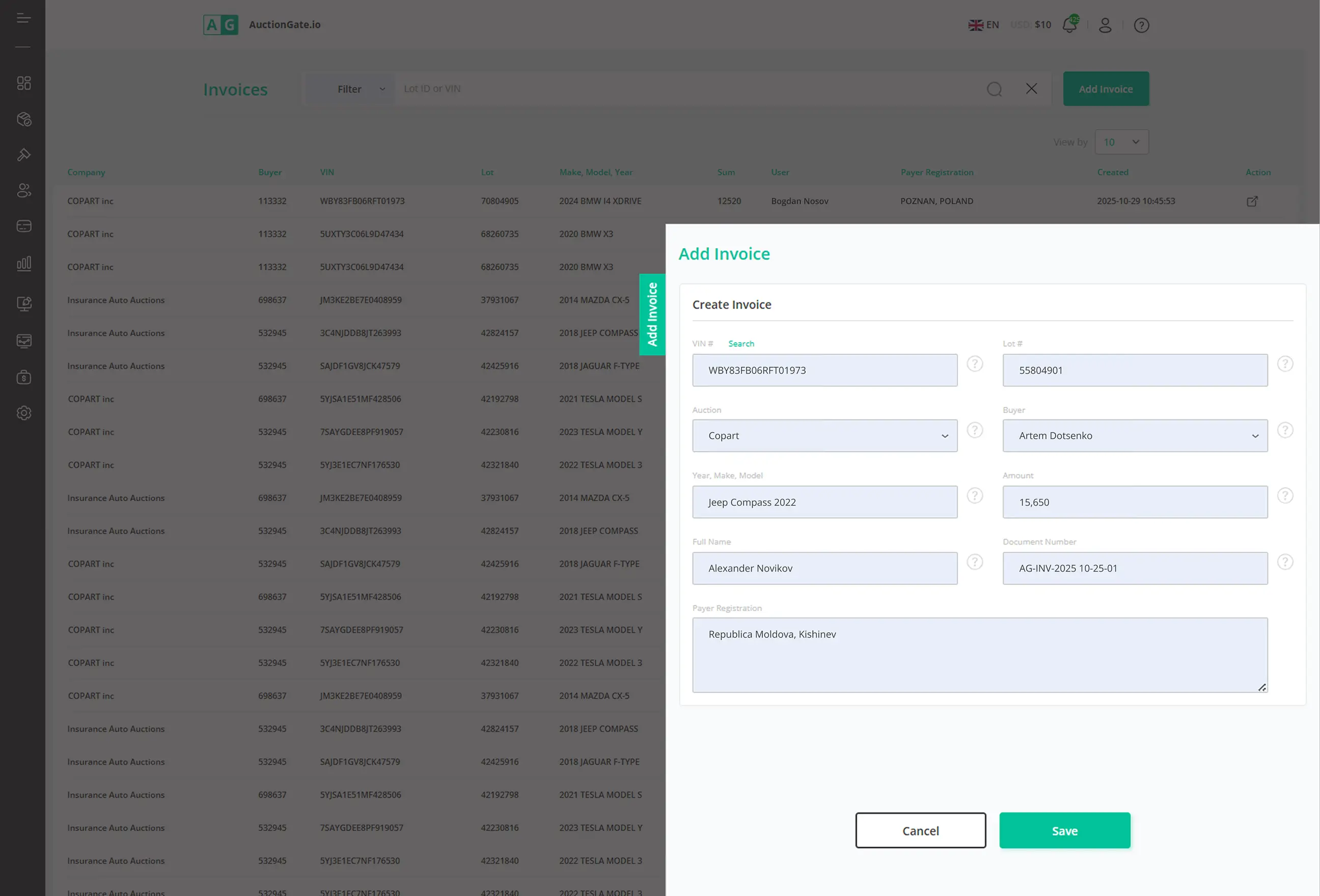
- Создание инвойсов напрямую из данных аукциона.
- Автоматическое заполнение данных лота и цены.
- Отправка PDF-инвойсов и отслеживание платежей.
- Синхронизация платежей с бухгалтерскими инструментами.
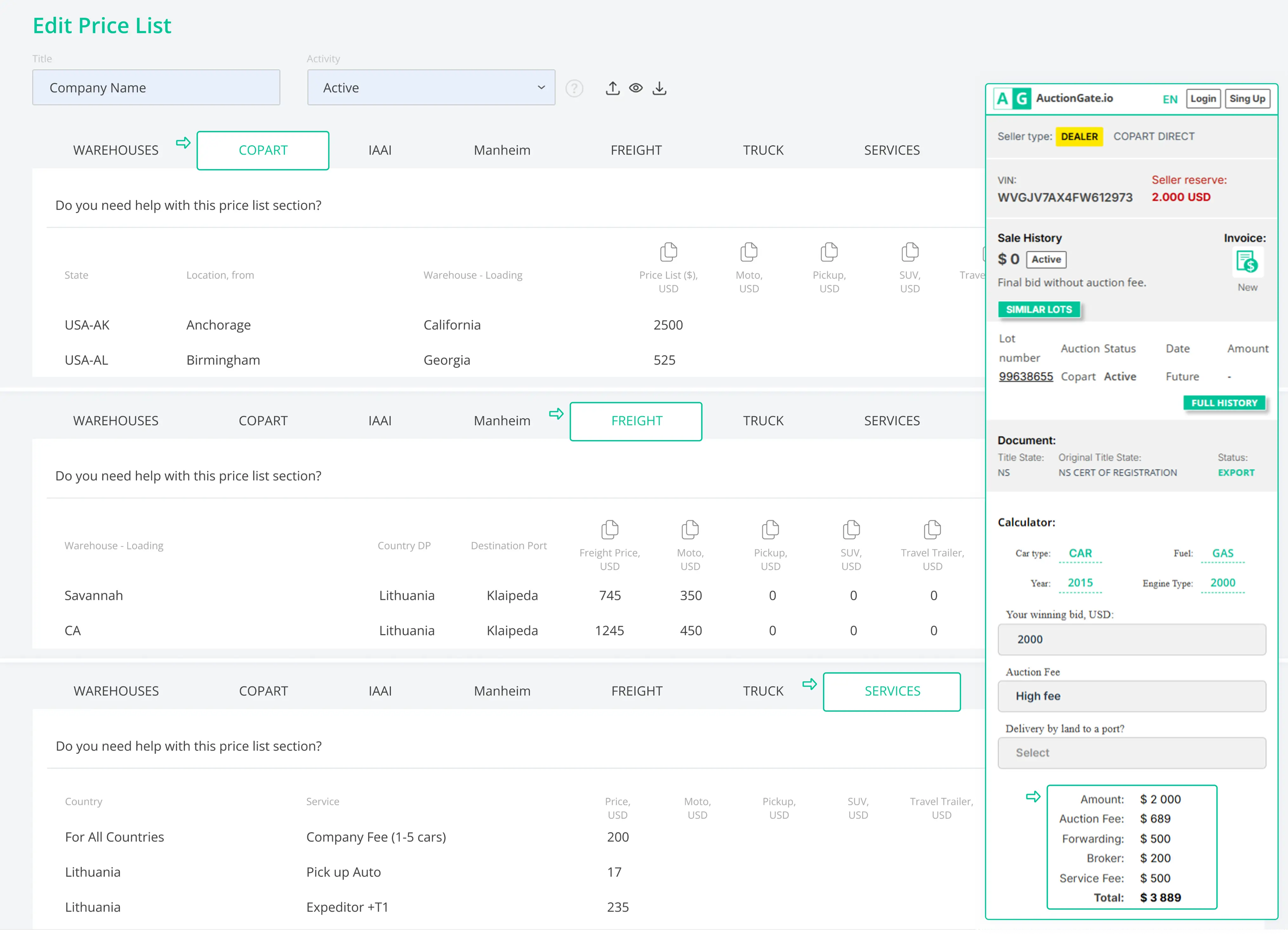
- Мгновенный расчёт стоимости доставки прямо на странице лота
- Назначение индивидуального прайс-листа для каждого пользователя
- Привязка аукционных локаций к складам и установка цен на вывоз
- Автоматизация расчётов стоимости доставки для сокращения ручной работы
- Добавление дополнительных услуг (депозиты, опасные грузы для гибридов и электромобилей)
Гибкость использования
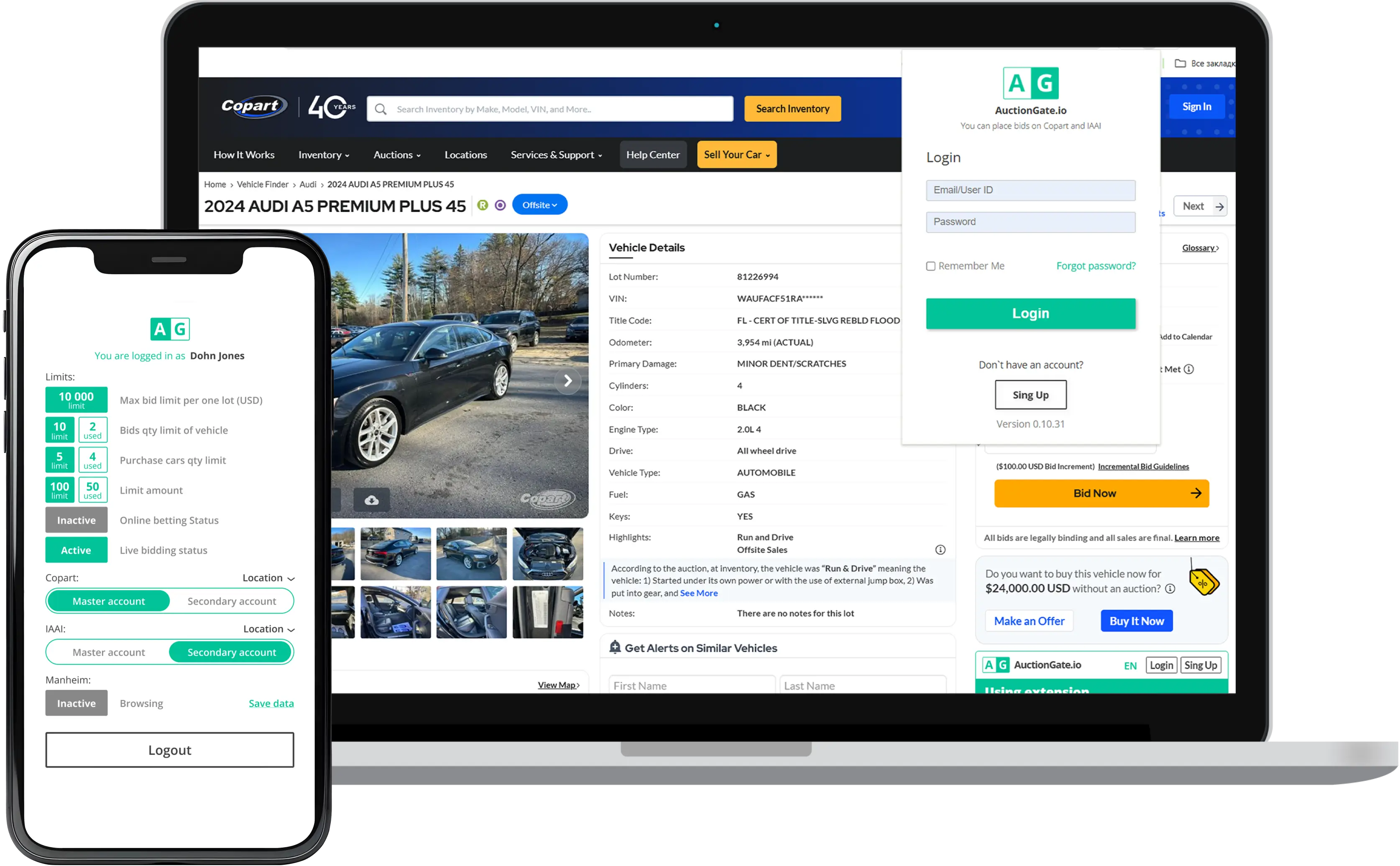
AuctionGate доступен на разных устройствах, поэтому ваша команда всегда сохраняет контроль — где бы ни работала.
- Веб-приложение: полный доступ к аккаунтам, пользователям и рабочим процессам
- Расширение Google: VIN и история аукциона, аналитика цен и стоимость доставки
- Мобильные устройства: auction-account.flexibility.items.mobile.text


Как это работает
Подключение
Контроль
Мониторинг и анализ
Посмотрите, как AuctionGate
трансформирует ваш рабочий процесс
Начать бесплатный 14-дневный пробный период
Быстрая настройка менее чем за 5 минут.
Часто задаваемые вопросы
Торги на Copart включают несколько этапов: предварительные ставки (Pre-Bid) до начала аукциона; живые торги (Live-Bid) во время аукциона; подтверждение выигрышной ставки. Каждое действие влияет на аукционный аккаунт и номер покупателя. Без надлежащего контроля команды могут потерять понимание того, кто сделал ставку и по какой причине автомобиль был выигран.
Во многих случаях — да. Copart требует, чтобы покупатели имели соответствующую бизнес-лицензию или работали через автомобильного аукционного брокера, который делает ставки от их имени. При участии в торгах через брокера или при использовании общего аукционного аккаунта особенно важно контролировать доступ пользователей и лимиты ставок, чтобы избежать дорогостоящих ошибок.
Процесс регистрации автомобиля на аукционе обычно включает создание аккаунта Copart, подачу необходимых бизнес- или личных документов, внесение возвратного депозита и получение одобрения для доступа к торгам. Требования к одобрению могут отличаться в зависимости от типа транспортного средства и правил конкретного штата.
Если автомобиль не оплачен в установленный срок, Copart может начислить сборы за повторное выставление лота и дополнительные штрафы на аукционный аккаунт. Повторяющиеся неоплаченные покупки также могут привести к ограничениям аккаунта или его блокировке. Именно поэтому для команд, участвующих в торгах на Copart, критически важно отслеживать, кто именно сделал ставку и с какого аккаунта.